
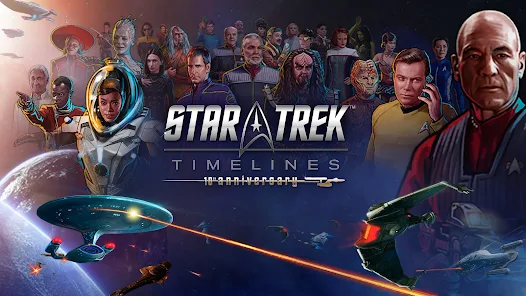
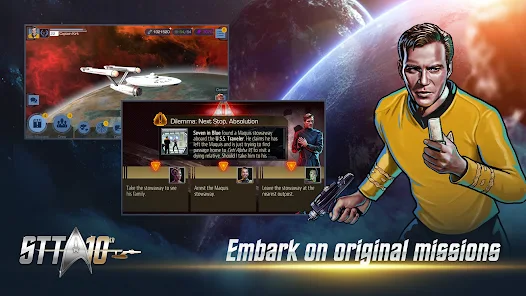
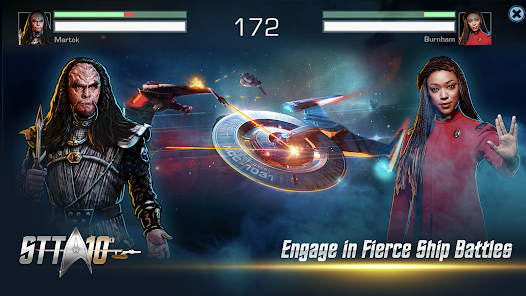
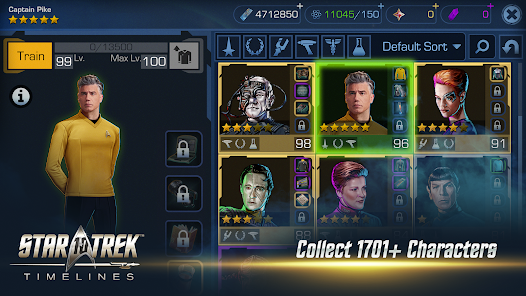
The Star Trek™ Timelines mobile app features an expansive storyline that spans the entire Star Trek universe, allowing players to interact with characters from all the different series and movies. The game also includes space and ground battles, as well as crew management and customization. Players can collect and level up their favorite characters, ships, and equipment, and participate in regular in-game events and challenges. The app also has stunning graphics and sound effects that create an immersive Star Trek experience.
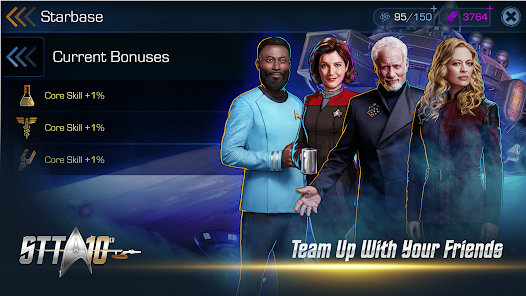
Additionally, the app offers social features, such as joining or creating fleets with other players, and participating in fleet events and battles. The game is constantly updated with new content and features to keep players engaged and entertained.
To use the Star Trek™ Timelines mobile app, simply download and install it from the App Store or Google Play Store. Once the app is installed, create an account or log in with an existing account. Upon entering the game, players can start by completing the tutorial to learn the basics of gameplay. From there, they can embark on missions, collect characters and ships, participate in events, and engage in battles. The app also offers in-game currency and resources that can be used to progress and improve gameplay.
Players can also join or create fleets to interact with other players and participate in fleet events and battles. The app is user-friendly and offers a seamless and enjoyable gaming experience for Star Trek fans.
One of the main pros of the Star Trek™ Timelines mobile app is its expansive and immersive storyline that allows players to interact with their favorite characters from the Star Trek universe. The game also offers stunning graphics and sound effects, creating a visually and audibly appealing experience for players. Additionally, the app is regularly updated with new content and features, keeping the gameplay fresh and engaging.
On the downside, some players may find the in-app purchases and microtransactions to be a drawback, as they can impact the overall gaming experience. Additionally, the game may require a significant time investment to progress and unlock certain features, which may not be suitable for all players.
The notifications dont match with what is going on in the game, making every voyage which you have to manually ask to return back home constantly be abandoned. The ships are cool, and the in game character models are alright, characters are 2D while the ships are 3D, combat is basic, you activate abilities that boost certain aspects, such as evasion, accuracy and damage, and characters are used in very basic style away missions, overall the game is alright, but progression is rough.
it's terrible that you have to keep constantly finding ways to add more money 💰 🤑 💰 to make this game even worthwhile playing at all …
not even opening it like it downing shows liks it downloading but then wont open in the game like cant play it
tried the don't really care for it. too many lags, glitches, and freeze ups. plus it drops all the time. I don't like being forced to play characters I wouldn't play, or build ships I don't want. just not the fun I thought it would be.
realy bad tech support. for almost 6 months i am trying to get game restart folowing the procedure bit for almost 6 months. worst and slowest tech support ever
Review Source: Google Play store public user reviews.
Yes, players are encouraged to submit suggestions and feedback through the game's official support channels or community forums.
Yes, Star Trek™ Timelines may collect personal data as outlined in its privacy policy, which typically includes information necessary for account management and gameplay.
Star Trek™ Timelines requires an internet connection to play, as it relies on online features for updates, events, and multiplayer interactions.
You can cancel your subscription through the app store where you initially subscribed, following the respective cancellation process for that platform.
Subscription costs may vary based on the type of subscription chosen, typically offering monthly or annual options with different benefits.
Unfortunately, customer numbers cannot be changed once assigned. Please reach out to customer service for further assistance.
Log in to your account and navigate to the settings section to update your email address.
To activate your account, check your email for an activation link and click on it. If you don't see it, check your spam folder.
You can reach customer service through the in-game help menu or by visiting our website's support section.
Just select the social media login option on the login page and follow the prompts to access your account.



















 Home
 Apps
 Games
 Windows
 Topics
 Terms of Service
 Privacy & Policy
 About Us