




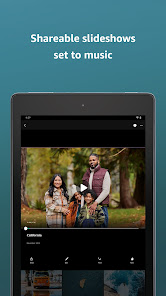
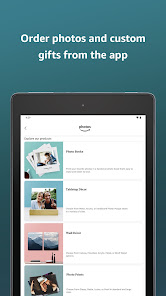
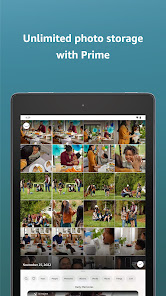

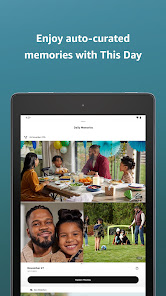
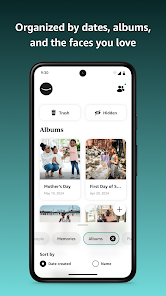

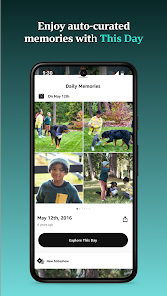
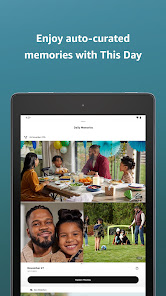
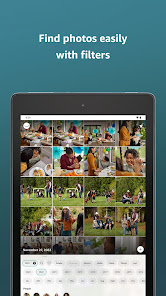
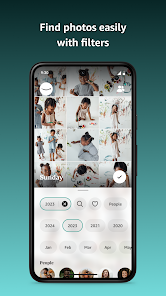
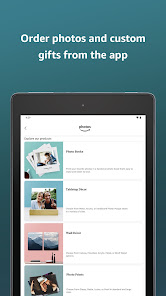
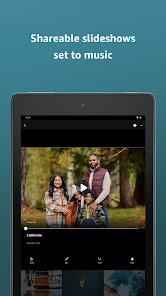

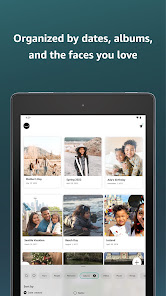

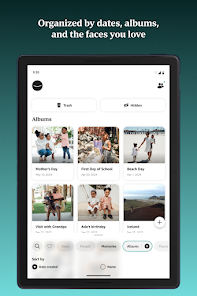
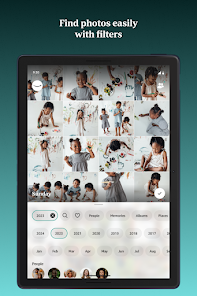
Amazon Photos is more than just a cloud storage service; it’s a comprehensive photo management tool that enhances your photography experience and keeps your memories safe. Here are some standout features that truly set it apart:
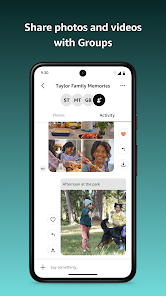
My journey with Amazon Photos began as I searched for a reliable way to back up my growing collection of photographs. As an avid traveler and family member who loves capturing memories, I often found myself overwhelmed by the sheer volume of images that piled up on my devices. One day while preparing for a family reunion, I realized I needed a way to compile and share old photos with relatives. Enter Amazon Photos! I quickly uploaded images from various trips, events, and candid moments, creating a centralized location for all our family memories. Beyond family gatherings, I also use the app to store work-related photos for projects and presentations, ensuring I can access important visuals wherever I go.
The user interface of Amazon Photos is intuitive and user-friendly. From the moment I opened the app, I was greeted by a clean layout that made navigation effortless. The main dashboard displays my albums, shared content, and suggestions for managing my photos effectively. Uploading images is a breeze; I simply drag and drop or select files, and the app handles the rest. I’ve also appreciated the speed of the app—it quickly processes and organizes my uploads without lag, which keeps my workflow smooth. Overall, my experience has been overwhelmingly positive, as the app not only meets but often exceeds my expectations for a digital photo storage solution.
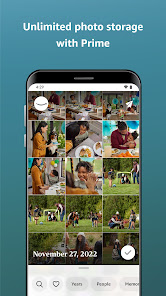
Amazon Photos is particularly appealing due to its pricing structure. For Amazon Prime members, the service is included at no additional cost, offering unlimited photo storage. For those without a Prime membership, the app still provides 5 GB of free storage, with affordable options for upgrading. I find that this flexibility caters to a wide range of users, making it accessible whether you’re a casual photographer or someone who takes hundreds of pictures every month.
Amazon Photos regularly rolls out updates that refine existing features and introduce new functionalities. I’ve noticed improvements in the app’s search capabilities and overall performance over time. Additionally, Amazon provides a robust support system, including an extensive help center and community forums. Whenever I’ve had questions or concerns, I’ve found the support team responsive and knowledgeable, ensuring that I never felt alone in my photo management journey.
As a user of Amazon Photos, security and privacy are top-of-mind considerations. The app is available on both the App Store and Google Play, which adds a layer of credibility. When creating an account, Amazon requires basic personal information, including an email address, which is standard in today’s digital age. However, they also emphasize their commitment to protecting user data, and I appreciate that they avoid intrusive ads or excessive tracking behavior. The app’s privacy settings allow me to manage who can see my photos, especially in shared albums, offering a level of control that is crucial for American users concerned about data privacy. Overall, I feel safe using Amazon Photos to store my cherished memories, knowing that my information is well-protected.
delete
Easy to use with FR and AI. Great for searching photos.
It's fun seeing old photos that I don't look at normally.
I love being able to see random past pictures pop up on my feed.
Great app
Review Source: Google Play store public user reviews.
Yes, users can submit suggestions or feedback through the app's settings or by contacting Amazon customer support directly.
Yes, like many apps, Amazon Photos collects personal data to improve user experience, but users can review their privacy settings and manage data sharing preferences.
Yes, users can access their photos and videos offline by downloading them to their devices through the app.
Users can cancel their subscription by going to their Amazon account settings, navigating to "Your Memberships & Subscriptions," and selecting the option to cancel the Amazon Photos subscription.
An Amazon Prime subscription includes unlimited photo storage and costs $14.99 per year, while non-Prime users receive 5 GB of free storage and can purchase additional storage as needed.
Yes, you can log in to your Amazon Photos account from any device using your Amazon credentials.
You can reach customer service through the Amazon website or app by navigating to the Help section and selecting 'Contact Us'.
To activate your Amazon Photos account, log in to your Amazon account and follow the prompts to set up your photo storage.
Your customer number is available in your account settings. Log in to your Amazon account and check under 'Your Account' for details.
You can retrieve your customer number by checking your account settings in the Amazon app or website under 'Your Account'.






















 Home
 Apps
 Games
 Windows
 Topics
 Terms of Service
 Privacy & Policy
 About Us