

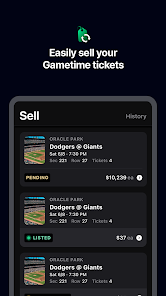


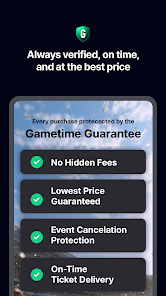


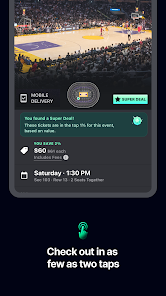
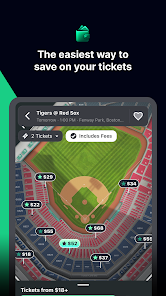
The Gametime - Last Minute Tickets mobile app offers a range of features that make it easy and convenient to find and purchase last-minute event tickets. One of the key features is the ability to browse and purchase tickets for sports games, concerts, and theater events directly from your mobile device. The app also includes a 360-degree view of the seat so that you can see the view from your chosen seat before making a purchase.
Another feature of the app is the ability to transfer tickets to friends, making it easy to attend events with a group. The app also includes real-time seat ratings, so you can choose the best seats available. Additionally, the app offers a secure and easy checkout process, as well as the ability to receive tickets directly to your phone, eliminating the need for paper tickets.
Using the Gametime - Last Minute Tickets mobile app is simple and straightforward. Once you have downloaded the app, you can browse events by category or search for specific events using the search bar. Once you have found an event you are interested in, you can view available tickets and select your desired seats. From there, you can complete the purchase using the secure checkout process and receive your tickets directly to your phone.
If you are attending an event with friends, you can easily transfer tickets to them through the app. The app also allows you to view the venue map and see the view from your chosen seats before making a purchase, ensuring a great experience at the event.
Pros of the Gametime - Last Minute Tickets mobile app include the convenience of being able to purchase tickets directly from your phone, the ability to transfer tickets to friends, and the real-time seat ratings that help you choose the best seats available. Additionally, the secure checkout process and the option to receive tickets directly to your phone make the app user-friendly.
However, one potential con of the app is that it primarily focuses on last-minute ticket purchases, so it may not be the best option for those who prefer to plan events well in advance. Additionally, while the app offers a 360-degree view of the seat, some users may prefer to see a traditional seating chart before making a purchase.
Always amazing prices
fantastic way to get good tickets at cheap prices
amazing deals that can't be found elsewhere
I just signed up, in preparation for seeing a concert in the near future. Lots of options for activities and events. Looking forward to seeing some good prices for a good seat.
they will charge you a diferent amount
Review Source: Google Play store public user reviews.
Yes, users can submit suggestions or feedback through the app's support or contact feature, allowing the team to improve the overall experience.
Yes, Gametime - Last Minute Tickets collects personal data necessary for processing transactions, improving user experience, and for marketing purposes, as outlined in their privacy policy.
While certain features may be limited, you can access previously purchased tickets offline through the app, but an internet connection is required for browsing and purchasing new tickets.
Since there is no subscription fee for using the app, there is no need to cancel a subscription; users simply pay for tickets as needed.
Gametime - Last Minute Tickets does not require a subscription to access its services; users only pay for the tickets they buy.
Unfortunately, customer numbers cannot be changed. If you have concerns, please contact customer service for more information.
To activate your account, check your email for a confirmation link and follow the instructions. If you didn't receive it, please contact customer service.
You can reach our customer service through the help section in the app or website, where you can chat with an agent or find our support number.
You can update your customer information in your account settings. If you need help, contact customer service for guidance.
If you've lost your customer number, please check your account settings or contact customer service for assistance.






















 Home
 Apps
 Games
 Windows
 Topics
 Terms of Service
 Privacy & Policy
 About Us