
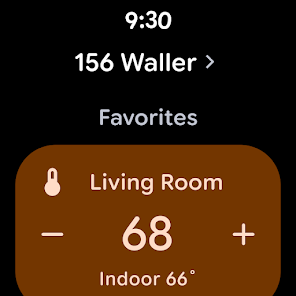
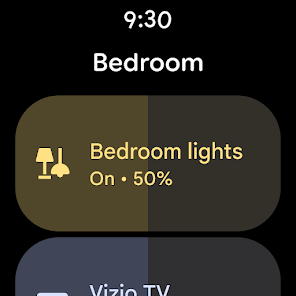
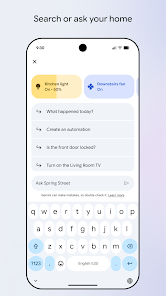
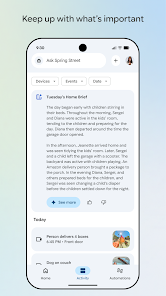
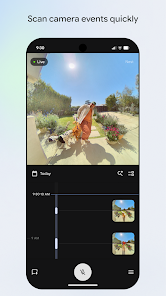
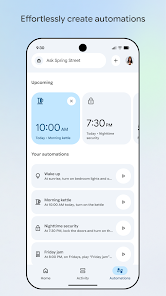
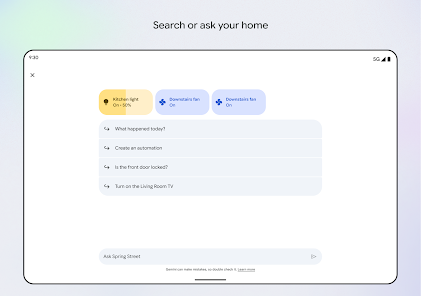
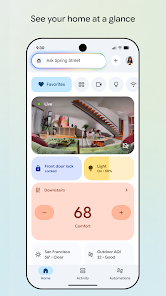
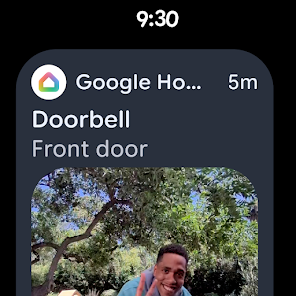
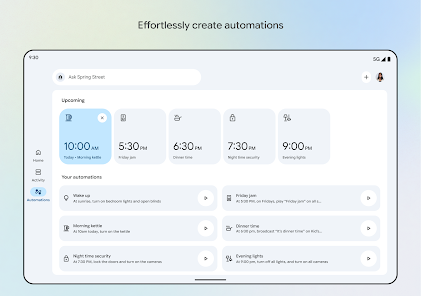
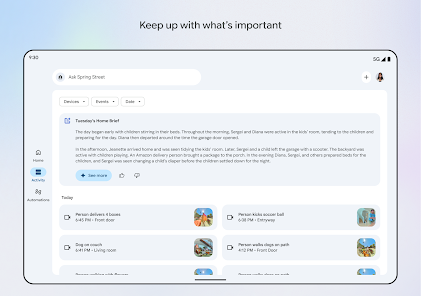
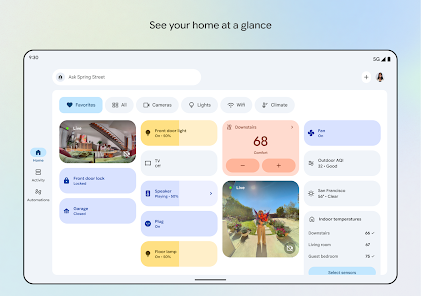
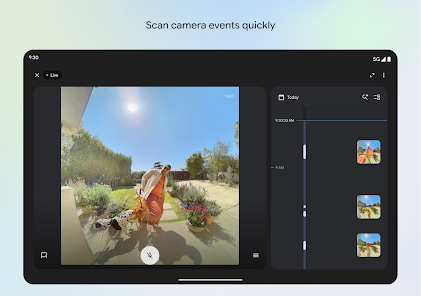
The Google Home app serves as the central hub for managing your smart home devices and enhancing your daily routines. Here are some of the core features that stand out:
My experience with the Google Home app has truly transformed how I interact with my living space. Every morning, I rely on the app to start my day right. As I wake up, I simply say, "Hey Google, good morning," and my pre-set routine kicks in. The lights gradually brighten, my coffee starts brewing, and the news headlines play through the speakers. It's an efficient and energizing way to wake up.
Throughout the day, I use the app to manage my work-from-home setup. With my smart plugs, I can turn on my desk lamp or adjust the air conditioning without leaving my chair. It’s especially handy during conference calls when I need to maintain that polished environment without distractions. In the evenings, the Google Home app becomes my entertainment hub. I can control the TV, adjust the sound system, and cast videos to my screen effortlessly, all while lounging on the couch.
The Google Home app boasts an intuitive and user-friendly interface that makes navigating through various features a breeze. The layout is clean, with categories clearly labeled, allowing me to find the devices I need quickly. Setting up new devices is straightforward; I simply follow the prompts, and within minutes, everything is integrated into my system.
Performance-wise, the app is reliable, with minimal lag when issuing commands or adjusting settings. The voice command feature is particularly impressive; it understands my requests accurately, even in noisy environments. Overall, I feel empowered by the way Google Home enhances my daily routines and simplifies tasks that used to be cumbersome.
The Google Home app is free to download on both iOS and Android platforms, making it accessible for everyone. However, the real investment lies in the various smart devices you choose to connect to the app. While some devices can be budget-friendly, others, like smart speakers or security systems, can be more of a splurge. Still, the overall convenience and efficiency they provide make it a worthwhile investment for a smart home experience.
I appreciate that the Google Home app receives regular updates, consistently adding new features and improving functionality. When I encountered a minor issue with a device connection, I was relieved to find that the Google support team was responsive and helpful. Their online help center is also filled with tutorials and troubleshooting tips, making it easy to resolve common problems independently.
As an American user, security and privacy are paramount concerns when using smart home technology like Google Home. The app is available through official sources like the App Store and Google Play, ensuring it’s safe for download. During registration, I was required to provide some personal information, such as my email and location, but the app offers transparency regarding how this data is used.
One concern I had was the potential for targeted ads and tracking behavior. However, Google provides privacy settings that allow users to manage their data sharing preferences. I’ve found it easy to customize these settings, helping me feel more secure about my information. Overall, while there are inherent risks with any smart home technology, Google Home provides robust measures to protect user privacy and data.
nice app
the app was working fine the the next day with location on the app keeps saying it needs location.... the location setting already on..... the app stopped working as intended
There's no option to restrict Google home device from showing calendar etc info on display. whatever settings this app has takes you to Google account settings!
Useful to good application
does absolutely nothing.
Review Source: Google Play store public user reviews.
Google Home may collect personal data to provide personalized experiences and improve services. Users can review and manage their privacy settings through their Google Account.
Google Home itself is free to download and use, but certain features or services may require a subscription or in-app purchases.
Yes, Google Home requires an active internet connection to function properly, as it relies on cloud services to process commands and access information.
You can contact Google Home support through the Google Home app or visit the Google Support website. Feedback can also be submitted directly through the app for improvements and feature requests.
To manage or cancel subscriptions linked to Google Home services, you can do so through the Google Play Store or your Google Account settings, where you can view and manage your subscriptions.
Open the Google Play Store or Apple App Store, search for "Google Home," and tap "Update" if an update is available.
Open the app, go to your profile, select "Assistant settings," and then "Voice Match" to set up and enable the feature.
Google Home does not have a specific customer service number; instead, use the support options within the app or online for assistance.
You can reach Google Home support through the Google Home app by navigating to Settings > Help & feedback, or visit the Google Support website.
Open the Google Home app and tap "Sign in" using your Google account email and password.






















 Home
 Apps
 Games
 Windows
 Topics
 Terms of Service
 Privacy & Policy
 About Us