
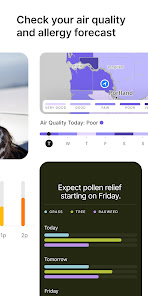
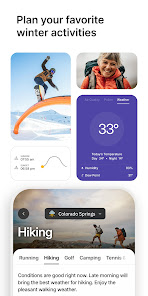
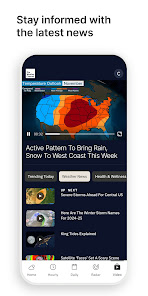
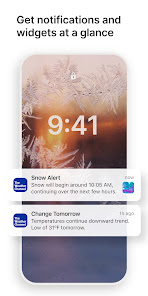
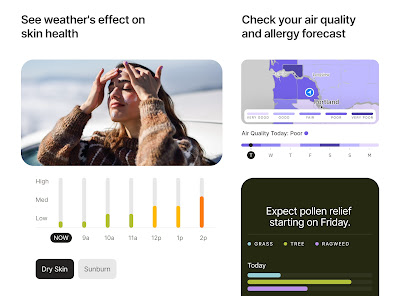
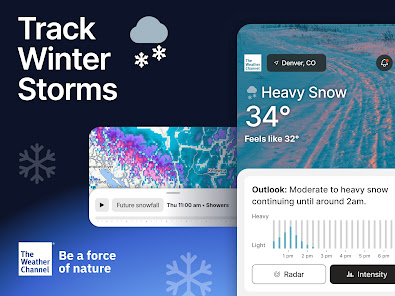
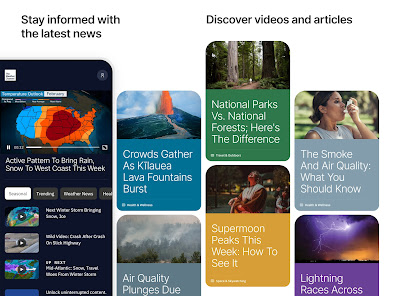
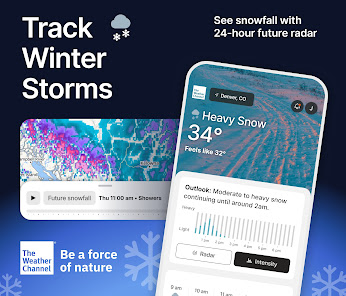
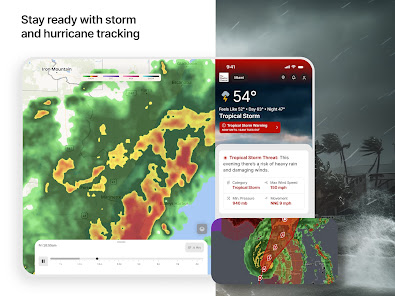
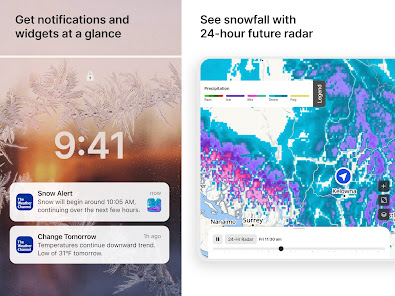
The Weather Channel App is not just a tool for checking the temperature; it’s a comprehensive weather platform that offers various features tailored to meet the needs of its users. Here are some core highlights that set it apart:
My journey with The Weather Channel App began during a summer vacation road trip. As I traveled from one state to another, the app became my trusty companion. Each morning, I would check the weather for my next destination, ensuring I packed accordingly. On one occasion, while driving through a mountainous region, the app alerted me about a rapidly approaching storm. Thanks to the timely notification, I was able to find a safe place to wait it out instead of risking driving through hazardous conditions.
Another scenario involves my weekend hikes. I love being outdoors, but unpredictable weather can ruin a perfect day. I often check the interactive radar maps to see if rain is impending. Last month, I was able to adjust my hiking plans after noticing a storm front moving in, which saved me from a potentially soggy and unsafe situation.
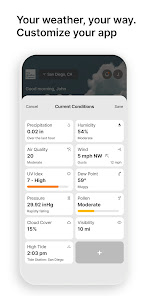
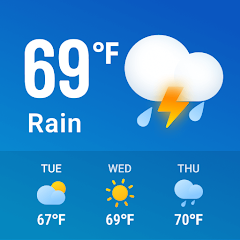
The user interface of The Weather Channel App is clean and intuitive. Upon opening the app, I’m greeted with a beautifully designed home screen displaying the current temperature and weather conditions. Navigating through the various features is seamless; I can quickly switch from hourly forecasts to 10-day outlooks with just a few taps. The interactive radar maps are particularly impressive, providing a detailed view of weather patterns in my area. The app’s performance is reliable, with quick load times and minimal lag, enhancing my overall experience.
One aspect I truly appreciate is the app's layout, which organizes information logically, making it easy to find what I need without feeling overwhelmed. The notifications are timely and relevant, ensuring I’m always informed without being bombarded by excessive alerts. Overall, using The Weather Channel App feels like having a personal meteorologist at my fingertips, guiding me through daily decisions.
The Weather Channel App is free to download and use, which is fantastic for casual users like myself. However, there is a premium subscription option available, offering an ad-free experience and additional features, such as enhanced radar maps and more detailed forecasts. While I enjoy the free version, I can see the value in upgrading for those who rely heavily on accurate weather data for their daily lives.
The app regularly receives updates that enhance its functionality and user experience. I’ve noticed improvements in the accuracy of weather predictions and the overall performance of the app over time. The support team is responsive, providing assistance through the app’s feedback feature. They are quick to address any bugs or issues, which speaks volumes about their commitment to user satisfaction. Overall, I feel supported and valued as a user.
As a user in the U.S., I’m always cautious about the security and privacy of the apps I download. The Weather Channel App is available on both the App Store and Google Play, which adds a layer of credibility. I appreciate that the app requires minimal personal data for registration. While I opted to create an account to customize my experience, I found that I could still access most features without providing extensive personal information.
Regarding ads and tracking behavior, The Weather Channel App does display advertisements, which can sometimes feel intrusive. However, I noticed they are mostly relevant to my interests. The premium subscription option alleviates this concern for those who prefer an ad-free experience. Overall, I feel relatively secure using the app, but it’s always wise to read the privacy policy to understand how your data is used.
ABSOLUTELY FABULOUS
This has been an exceptionally well-designed app in my experience. Its weather forecasts have been consistently accurate and reliable, which is why I've continued to use it. I've seen posts on Instagram claiming that its predictions aren't trustworthy, but that hasn't reflected what I've experienced firsthand. Living in Iran, I've found the forecasts to be dependable over time, so I put more weight on my own experience than on broad claims shared online.
Trying to scroll through hourly mode, and have to watch ads.
New notifications are absolutely obnoxious. no way to turn them off without turning off the temp notification. The other notifications got so annoying I had to uninstall.
now there's obscene commercials that should not be on here! I'm going to have to uninstall this This just nasty! NOW CANT OPEN WITHOUT COMMERCIALS. I'm having tornado warnings and can't even get to your app because of the stupid commercials this is an emergency!
Review Source: Google Play store public user reviews.
Yes, The Weather Channel - Radar may collect personal data to enhance user experience, improve services, and for advertising purposes, in accordance with their privacy policy.
Yes, The Weather Channel - Radar offers a free version with basic features, while premium features may require a subscription. Free trial options may also be available for premium services.
Yes, The Weather Channel - Radar requires an internet connection to access real-time weather data and updates.
You can contact support or send feedback through the app's help section or by visiting The Weather Channel's official website for customer service options.
You can manage or cancel your subscription through the app settings or your device's app store settings, depending on how you subscribed.
You can contact customer service through the app's settings or visit their official website for support options.
Open the app and tap on the login option, then enter your credentials or sign in using your social media account.
No activation is necessary; simply download the app and start using it right away.
The customer service number may vary by region; check the app or the website for the correct contact number.














 Home
 Apps
 Games
 Windows
 Topics
 Terms of Service
 Privacy & Policy
 About Us