


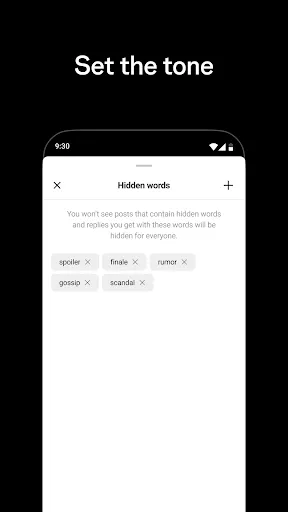
Threads is a standalone app designed for Instagram users to communicate with their close friends list. It allows users to share photos, videos, messages, and Stories with specific people on their Instagram list. The app also has a status feature which lets friends know what you're up to throughout the day. Threads also has a feature called Auto Status, which uses your location, movement, and battery level to automatically update your status.
Another feature of Threads is the ability to customize your close friends list, so you can control who sees your status updates and who you share content with. It also has a dedicated camera interface for quick photo and video sharing, as well as the ability to set up customizable notifications for specific friends.
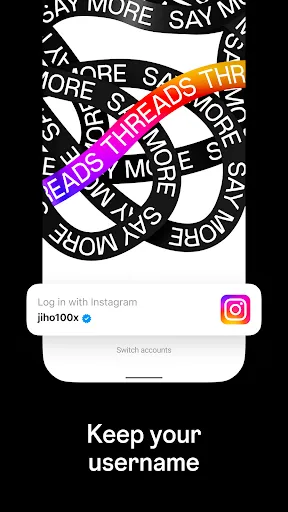
To use Threads, first download the app from the App Store or Google Play Store. Once installed, log in using your Instagram credentials. Then, customize your close friends list by selecting the people you want to share content with. You can then start sharing photos, videos, messages, and Stories with your selected friends. Use the dedicated camera interface to quickly capture and share moments, and set up customizable notifications to stay connected with your close friends.
One pro of Threads is the ability to have more intimate and private communication with a select group of friends, without the content being shared with all of your Instagram followers. It also allows for quick and easy photo and video sharing, with a dedicated camera interface. The Auto Status feature can also be a pro for some users, as it provides a way to automatically update friends on your current status.
One con of Threads is that it may feel redundant for some users, as the features it offers are already available within the main Instagram app. Some users may also have privacy concerns regarding the use of their location, movement, and battery level for the Auto Status feature. Additionally, the app may not be as widely used or popular as the main Instagram app, so the audience for communication may be limited.
Threads is a standalone app designed for Instagram users to communicate with their close friends list. It allows users to share photos, videos, messages, and Stories with specific people on their Instagram list. The app also has a status feature which lets friends know what you're up to throughout the day. Threads also has a feature called Auto Status, which uses your location, movement, and battery level to automatically update your status.
Another feature of Threads is the ability to customize your close friends list, so you can control who sees your status updates and who you share content with. It also has a dedicated camera interface for quick photo and video sharing, as well as the ability to set up customizable notifications for specific friends.
To use Threads, first download the app from the App Store or Google Play Store. Once installed, log in using your Instagram credentials. Then, customize your close friends list by selecting the people you want to share content with. You can then start sharing photos, videos, messages, and Stories with your selected friends. Use the dedicated camera interface to quickly capture and share moments, and set up customizable notifications to stay connected with your close friends.
One pro of Threads is the ability to have more intimate and private communication with a select group of friends, without the content being shared with all of your Instagram followers. It also allows for quick and easy photo and video sharing, with a dedicated camera interface. The Auto Status feature can also be a pro for some users, as it provides a way to automatically update friends on your current status.
One con of Threads is that it may feel redundant for some users, as the features it offers are already available within the main Instagram app. Some users may also have privacy concerns regarding the use of their location, movement, and battery level for the Auto Status feature. Additionally, the app may not be as widely used or popular as the main Instagram app, so the audience for communication may be limited.
wenka
good
too much bug im guessing.. cant even upload photo while other people can? only my acc? it has been 2 weeks.
memory leaks galore
jogoadikry
Review Source: Google Play store public user reviews.
Yes, users can submit suggestions or feedback through the app's settings or by visiting the official support page on Instagram's website.
Yes, Threads collects personal data such as account information, usage data, and device information to enhance user experience and improve app functionality.
No, Threads requires an internet connection to function properly as it relies on real-time updates and interactions with friends and followers.
Since Threads does not offer a subscription service, there is no need to cancel anything; users can simply uninstall the app if they choose to stop using it.
Threads does not have a subscription model; it is completely free to use with no hidden costs associated with its features.
If necessary, follow the activation link sent to your email after registration. Click the link to confirm your account.
You can reach customer service through the app's settings under "Help" or visit their official website for support options.
Open the app, enter your username and password, and tap "Log In." If you forgot your password, use the "Forgot Password?" link.
The Threads app does not have a dedicated customer number; support is primarily provided through in-app help and online resources.




















 Home
 Apps
 Games
 Windows
 Topics
 Terms of Service
 Privacy & Policy
 About Us