
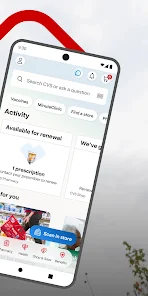
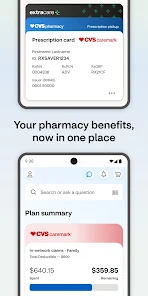
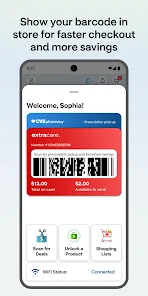
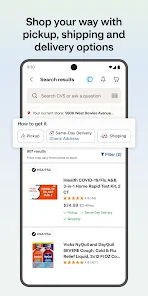
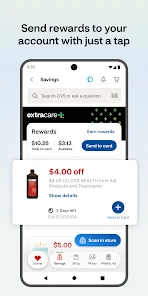
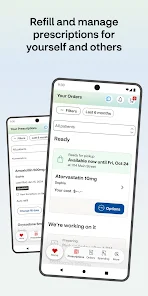

In my daily life, the CVS app has become an indispensable tool. Whether it’s managing my prescriptions, ordering photos for a special occasion, or needing some last-minute groceries, the app consistently comes to my rescue. Just last week, I had a gathering at my house and realized I needed some snacks and drinks. Instead of rushing to the store, I quickly opened the CVS app, browsed through the grocery section, and placed an order for same-day delivery. In less than two hours, I had everything I needed delivered to my doorstep!
The user interface of the CVS app is intuitive and user-friendly. Upon opening the app, I am greeted with a clean layout that makes navigation a breeze. The main dashboard features easy access to all core functionalities, such as prescriptions, photo services, and grocery shopping. I’ve found that the workflow is smooth; for example, refilling a prescription takes just a few taps. The app performs well, with minimal lag time, even when I’m browsing through product listings or uploading photos for printing. Overall, my experience has been positive, and I genuinely appreciate how the app has streamlined my shopping and health management.
The CVS app is free to download and use, which is a significant advantage. While some services, like photo printing, do require payment, the app itself does not have any hidden fees. Additionally, many of the discounts and deals offered through the app can help offset any costs, making it a budget-friendly option for users.
CVS frequently updates their app, ensuring that users receive the latest features and improvements. I’ve noticed that these updates enhance performance and fix any bugs that may arise. The customer support is also commendable; they provide various options for assistance, including a detailed FAQ section and a customer service hotline. Whenever I’ve had questions, I’ve quickly found the help I needed through the app.
As an American user, security and privacy are paramount when it comes to using any app that handles personal information. The CVS app is available on both the App Store and Google Play, ensuring that it meets the necessary security standards. Upon registration, I was required to provide some personal data, such as my name and email, but I felt secure knowing that CVS has robust privacy policies in place to protect this information.
One aspect I appreciate about the app is its transparency regarding ads and tracking behavior. While the app does collect data to enhance user experience and provide personalized offers, I have the option to manage my privacy settings. This control gives me peace of mind that my data is being handled responsibly.
Overall, my experience with the CVS app has been overwhelmingly positive. It has simplified my daily life, making tasks like managing prescriptions and ordering groceries quicker and more efficient. With its user-friendly design, essential features, and commitment to security, I highly recommend the CVS app to anyone seeking a reliable health and shopping companion.
They always notify me when my prescription are ready for pick-up
Always professional, courteous, helpful, and friendly! This is always going to be my CVS choice to pick up my prescriptions. 👍🏾👍🏾👍🏾
The app makes things easy. There is usually not a long wait at the pharmacy. They are kind whenever I pick up.
always have everything ready when needed! A++ party people!!
this app doesn't allow turning on security protections for your phone
Review Source: Google Play store public user reviews.
Yes, users can submit suggestions or feedback through the app's support feature or contact CVS Health customer service directly for any inquiries or comments.
Yes, the CVS Health app collects personal data to provide tailored services, manage prescriptions, and enhance user experience, but it adheres to privacy regulations.
While certain features of the CVS Health app may be accessible offline, most functionalities, such as prescription refills and health updates, require an internet connection.
Since the CVS Health app does not require a subscription, there is no cancellation process; users can simply stop using the app if they choose.
As of now, there is no subscription fee associated with the CVS Health app, as it is primarily designed to be a free resource for users.
Unfortunately, customer numbers cannot be changed. If you need help, please contact customer service.
You can reach CVS Health customer service by calling the number on the back of your customer card or visiting our website for more options.
To activate your account, click the activation link in your welcome email and follow the prompts to set up your profile.
To log in, visit the CVS Health website, enter your email and password, then click 'Log In'.
You can update your customer information by logging into your account and navigating to the 'Profile' section.






















 Home
 Apps
 Games
 Windows
 Topics
 Terms of Service
 Privacy & Policy
 About Us