Advertiser and Editorial Disclosures

MyChart

MyChart

4.5
Rating
10,000,000+ Downloads
11.6.4 Version
Advertisement(PageType: detail | Position: pre3 )
Screenshot 1
Screenshot 2
Screenshot 3
Screenshot 4
Screenshot 5
Screenshot 6
Screenshot 7
Screenshot 8
Screenshot 9
Screenshot 10
Screenshot 11
Screenshot 12

Information

  • Category: Medical
  • Price: free
  • Age Rating: Everyone
  • Available on: /
  • Developer: Epic Systems Corporation
  • Updated on: Jul 3, 2026
Advertisement(PageType: detail | Position: pre4 )
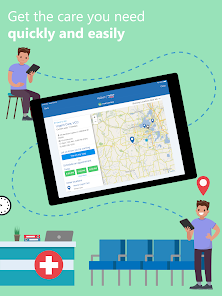
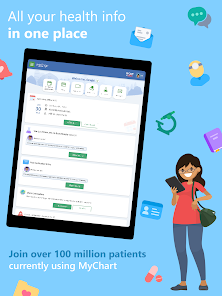
MyChart is a secure online platform that allows patients to access their medical records, communicate with their healthcare providers, and manage their health information from the convenience of their mobile device or computer. The app provides a wide range of features, including the ability to schedule appointments, request prescription refills, view test results, and receive personalized health recommendations. With MyChart, patients can also securely message their healthcare team, making it easier to ask questions, request advice, or discuss treatment options. The app is designed to streamline the healthcare experience, giving patients more control over their health and wellness. MyChart is available for use by patients of healthcare organizations that have partnered with the platform, and it provides a convenient and user-friendly way to stay connected with their care team. The app is designed to support a collaborative approach to healthcare, empowering patients to take an active role in managing their health.

Features & Highlights

  • Comprehensive Health Records: MyChart allows users to access their complete medical history, including test results and medication lists. For instance, during a recent visit to my doctor, I quickly pulled up my lab results from the app, which helped facilitate a more informed discussion about my health.
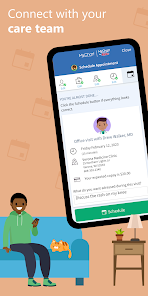
  • Appointment Scheduling: The app provides a seamless way to schedule, reschedule, or even cancel appointments. I recently had an unexpected conflict and used MyChart to reschedule my check-up with just a few taps, saving me time and hassle.
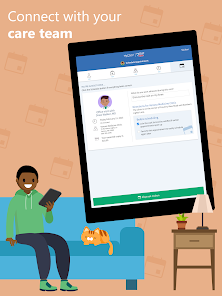
  • Direct Messaging with Healthcare Providers: MyChart offers a secure messaging system that allows users to communicate with their healthcare professionals. When I had a question about a new prescription, I sent a message through the app and received a prompt response, which eased my concerns.
  • Prescription Management: Users can view and manage their prescriptions directly within the app. After my doctor prescribed a new medication, I used MyChart to request a refill, which was processed in minutes, making the entire experience convenient.
  • Health Reminders: The app sends personalized reminders for upcoming appointments, medication refills, and preventive care. I appreciate these reminders as they help me stay on top of my health without having to remember everything.

Real Experience Using MyChart

Application Scenarios

Using the MyChart app has become a regular part of my healthcare routine. One of the most common scenarios is when I have a scheduled appointment. Before heading to the clinic, I check MyChart to confirm the time and location, ensuring that I don’t miss anything important. Additionally, if I have a question about my treatment or need clarification on a medication, I use the messaging feature to reach out to my healthcare provider. This means I can get answers without needing to wait for a phone call, which is an absolute game-changer in managing my health. Another scenario where MyChart shines is during lab work. After a recent blood test, I eagerly awaited my results. I received a notification on MyChart as soon as they were available, allowing me to view them instantly. This not only gave me peace of mind but also prepared me for my follow-up appointment, where I could discuss the results with my doctor in detail.

User Experience

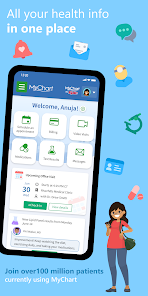
The user interface of MyChart is straightforward and intuitive, making navigation a breeze for users of all ages. Upon logging in, I’m greeted with a clean dashboard that provides a summary of my health information, upcoming appointments, and messages from my healthcare team. The layout is visually appealing, with clear icons and easy-to-read text. The performance of the app is commendable as well. I have yet to experience any significant lag or crashes, allowing for a smooth experience whether I’m checking my medical records or sending a message to my doctor. Navigating through different sections, like appointments and health records, is seamless, which is essential when you’re trying to access important information quickly. Overall, using MyChart has been a positive experience. It empowers me with knowledge about my health and facilitates easier communication with my healthcare providers. The convenience of having all my medical information at my fingertips truly enhances my ability to manage my health proactively.

Pricing

MyChart is available for free, which is a significant advantage for users. There are no hidden fees or subscriptions required to access its core features. However, keep in mind that while MyChart itself is free, standard medical fees still apply for any services you schedule through the app. This means you can enjoy the convenience of managing your health records without worrying about additional app costs.

Updates & Support

The MyChart app receives regular updates that enhance its functionality and user experience. I appreciate that these updates often bring new features based on user feedback, making the app even more useful over time. Additionally, the support offered through the app is commendable. If I run into any issues, the support team is easily accessible via the app, and I have always received prompt and helpful responses to my queries.

Security & Privacy Review

As an American user, I have a strong interest in the security and privacy measures employed by healthcare apps like MyChart. The app is available on both the App Store and Google Play, ensuring that it meets the necessary standards for security on these platforms. When registering for MyChart, I was required to provide personal data, including my name, date of birth, and insurance information. This data is essential for linking my account to my healthcare provider, but I appreciate that MyChart employs encryption to protect this sensitive information. In terms of ads or tracking behavior, MyChart does not bombard users with advertisements. It focuses on providing a secure and user-friendly experience without unnecessary distractions. Overall, I feel confident using MyChart, knowing that my personal health information is safeguarded, allowing me to manage my healthcare confidently and securely.

Pros
  • Access your health information anytime, anywhere
  • Schedule appointments easily with just a few clicks
  • Receive test results quickly and securely online
  • Communicate directly with your healthcare team
  • Manage prescriptions and refills effortlessly
Cons
  • Limited accessibility for older individuals
  • Frequent technical issues disrupt usage
  • Privacy concerns with personal health data
  • Overwhelming features can confuse users
Advertisement(PageType: detail | Position: pre5 )
Advertisement(PageType: detail | Position: pre7 )

User Reviews

(278K Reviews)
  • Nate Rodriguez
    2026/07/07

    Awesome

  • Valencia Williams
    2026/07/07

    very easy to use

  • Roger DiPaolo
    2026/07/07

    I had previously given a low review for MyChart before understanding that MyChart wasn't responsible for the internet connection issues I previously experienced. The internet connection situation has since been resolved. MyChart is a very valuable healthcare tool that vastly improves my ability to be an interactive partner with my healthcare providers. One of the best tools ever in helping me to be more informed and more interactive with my healthcare team.

  • Jennifer Gary
    2026/07/07

    awful. I can never get into my chart when I need it

  • This Phone
    2026/07/07

    no,I DON'T LIKE MY CHART!IT IS NOT VERY HELPFUL,DOCTORS ARE CONSTANTLY TELLING ME TO MAKE APPOINTMENTS THROUGH MY CHART,BUT- •●•●• I CANT •●•●• IT'S REALLY CONFUSING,IT CONTRADICTS ITSELF ,IT CHANGES AT WILL,IT'S GIVING INCORRECT INFORMATION ON IT,IT'S HARD TO NAVIGATE,IT DOESN'T HAVE ANY WAY TO CONNECT TO DOCTORS OR ANY ONE THAT CAN HELP,APPARENTLY!!I COULD GO ON BUT I'M ALREADY PRETTY UPSET AS WELL AS STILL SICK. NO ,I DON'T LIKE MY CHART!

Review Source: Google Play store public user reviews.

FAQ

Does MyChart collect my personal data?

Yes, MyChart collects personal health information to provide users with personalized healthcare services, but it follows strict privacy and security protocols to protect that data.

Does MyChart offer a free trial or free version?

MyChart is generally provided free of charge to users as part of their healthcare provider's services, but specific features may vary by provider.

Does MyChart require an internet connection?

Yes, MyChart requires an internet connection to access the portal and mobile app features, as it operates online.

How can I contact support or send feedback for MyChart?

Users can contact MyChart support through the help section of the app or website, or by reaching out directly to their healthcare provider's support team for any feedback or questions.

How do I manage or cancel my MyChart subscription?

Since MyChart is usually free and tied to your healthcare provider, there is no subscription to manage or cancel; however, you can contact your provider for assistance with your account.

How to use MyChart

How do I activate my MyChart account?

To activate your MyChart account, you will need an activation code, which can be obtained from your healthcare provider. Follow the prompts on the app to complete the activation.

How do I contact customer service for the MyChart app?

You can contact customer service by calling the number provided in the app or visiting the support section on the MyChart website.

How do I find the customer service number for MyChart?

The customer service number can be found in the app under the "Help" or "Contact Us" section.

How do I log in to MyChart?

To log in, enter your username and password on the MyChart login page or app. If you don't have an account, you can sign up for one.

What's New

  • A new homepage card allows you to opt in to sharing your health data through Care Everywhere. COVID-19 information no longer appears before logging in to your organization. You can now share PDFs from other apps to MyChart. These changes might become available to you after your healthcare organization starts using the latest version of Epic.
Advertisement(PageType: detail | Position: pre2 )