

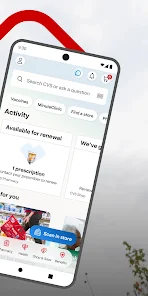
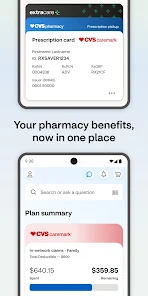
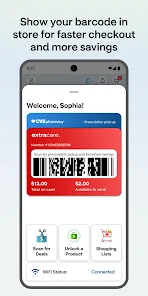
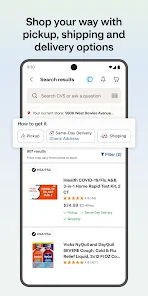
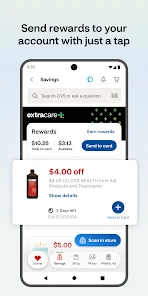
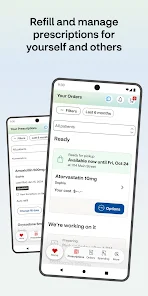

As a busy professional, I often juggle numerous responsibilities. One typical day, I realized I was running low on my allergy medication. Instead of rushing to the pharmacy after work, I opened the CVS/pharmacy app during my lunch break. Within moments, I had refilled my prescription and set a reminder for my next refill. On another occasion, I was in need of some vitamins for my kids, and the app’s shopping feature let me browse and order the best options without the hassle of wandering around the store.
The user interface of the CVS/pharmacy app is intuitively designed, making navigation a breeze. Upon opening the app, I was greeted with a clean layout that made it easy to find what I needed. The workflow for refilling prescriptions is straightforward, guiding me through each step with clear prompts. I was particularly impressed with the app’s speed; it loaded quickly, and I never experienced any lag, even during peak hours. The overall experience left me feeling empowered and in control of my health management—qualities that are crucial in our fast-paced lives.
The CVS/pharmacy app is free to download and use, which is fantastic for anyone looking to manage their health care expenses efficiently. While many health-related apps come with subscription fees, CVS/pharmacy allows users to access essential features without spending anything upfront. However, keep in mind that purchasing products through the app will incur standard retail prices, but the savings from the rewards program can significantly offset these costs.
The app is regularly updated, which is evident in the smooth performance and the introduction of new features over time. I appreciate that CVS/pharmacy listens to user feedback and incorporates it into their updates. Customer support is also commendable; I once had a query about a medication refill. I reached out via the app’s support feature and received a prompt, helpful response. This level of support is reassuring, especially when managing health-related concerns.
As an American user, security and privacy are paramount, especially when handling personal health information. The CVS/pharmacy app is available on both the App Store and Google Play, providing a layer of trust as these platforms vet their applications for security. During the registration process, I was asked to provide some personal details, such as my name, email, and health insurance information, which felt necessary for managing my prescriptions but also raised a few concerns about data safety.
CVS takes user privacy seriously, implementing measures to protect personal data. I noticed that the app does not bombard me with ads, which is a plus, and I appreciate that it does not track my behavior outside of the app. Overall, I feel confident that my sensitive information is secure while using the CVS/pharmacy app, allowing me to focus on what truly matters—my health.
They always notify me when my prescription are ready for pick-up
Always professional, courteous, helpful, and friendly! This is always going to be my CVS choice to pick up my prescriptions. 👍🏾👍🏾👍🏾
The app makes things easy. There is usually not a long wait at the pharmacy. They are kind whenever I pick up.
always have everything ready when needed! A++ party people!!
this app doesn't allow turning on security protections for your phone
Review Source: Google Play store public user reviews.
Yes, users can submit suggestions or feedback through the app's support feature or contact CVS Health customer service directly for any inquiries or comments.
Yes, the CVS Health app collects personal data to provide tailored services, manage prescriptions, and enhance user experience, but it adheres to privacy regulations.
While certain features of the CVS Health app may be accessible offline, most functionalities, such as prescription refills and health updates, require an internet connection.
Since the CVS Health app does not require a subscription, there is no cancellation process; users can simply stop using the app if they choose.
As of now, there is no subscription fee associated with the CVS Health app, as it is primarily designed to be a free resource for users.
Unfortunately, customer numbers cannot be changed. If you need help, please contact customer service.
You can reach CVS Health customer service by calling the number on the back of your customer card or visiting our website for more options.
To activate your account, click the activation link in your welcome email and follow the prompts to set up your profile.
To log in, visit the CVS Health website, enter your email and password, then click 'Log In'.
You can update your customer information by logging into your account and navigating to the 'Profile' section.






















 Home
 Apps
 Games
 Windows
 Topics
 Terms of Service
 Privacy & Policy
 About Us